How to Spot a Forged Peptide COA: Verifying Reports from Janoshik, Freedom Diagnostics, and Other Third-Party Labs
The Certificate of Analysis is the central trust document in research peptide sourcing. It is the artifact that bridges what a supplier claims about a product and what a researcher can verify about it. As the research peptide market has grown, so has the practice of editing, recycling, and outright fabricating COAs to make products appear analytically validated when they are not. This guide covers why forged COAs circulate, how they are typically produced, and how to verify a real third-party report — with specific verification workflows for the four labs most commonly referenced in the research peptide community: Janoshik Analytical, Freedom Diagnostics, MZ Biolabs, and Kovera Labs.
All discussion in this article refers to laboratory and research-use-only sourcing workflows. Nothing here describes preparation for human or veterinary administration.
Why Forged COAs Circulate
Real third-party analytical testing is not cheap. HPLC purity analysis, mass spectrometry confirmation, and water/counterion quantification by accredited labs typically run tens to low hundreds of dollars per sample, plus shipping. For a supplier moving many small SKUs, the cumulative cost is significant — and the test itself is destructive, consuming material from the lot.
Forging a COA is, by contrast, almost free. A supplier with access to a single legitimate report from any reputable lab has a template that can be copied indefinitely. The economic gap between "test every batch" and "edit one PDF" is the primary driver of fraudulent COAs in the research peptide market.
A second driver is asymmetric information. A buyer looking at a PDF has no inherent way to know whether the underlying assay was actually performed. Unless the buyer takes the additional step of verifying the report against the issuing lab's records, the document is taken on faith — and that faith is exactly what forgers exploit.
The Common Forgery Patterns
Forged COAs in the wild generally fall into one of six categories:
1. Edited Real Reports
The most common pattern. The supplier obtains a legitimate COA from a real lab — sometimes for an entirely different product or lot — and uses PDF editing software to change the values that matter for marketing: HPLC purity %, mass spectrometry observed mass, peptide content, lot number, product name. The lab's branded letterhead, layout, and styling are preserved, which is what makes these forgeries convincing on first glance.
2. Recycled Single COA
A single real test result is presented as if it applies to every subsequent lot of the same product. The COA on the supplier's website is authentic, but the vial in your hand is from a lot that was never tested. Recycled COAs are particularly common when a supplier ships from many different upstream manufacturers — the public-facing COA represents one historical batch that may bear no relationship to current inventory.
3. Fabricated Lab Letterhead
The supplier invents a fictional analytical lab, complete with logo, address, and signature block, and produces COAs under that letterhead. These tend to be easier to spot — the "lab" has no online presence, no public report database, and no responses to verification emails — but they still appear regularly, often with names designed to sound authoritative or to resemble real labs.
4. Cloned Lab Identity
A more sophisticated version of fabrication: the supplier closely imitates the branding of a real lab (logo, color scheme, layout, sometimes a near-identical domain name) so that a casual buyer assumes the COA originated there. Verification against the real lab's records exposes these — the report ID won't appear in the genuine lab's database.
5. Generic / Template COA
A bare-bones document with the product name, a single purity number, and possibly a date — no chromatogram, no mass spectrum, no batch identifier, no lab attribution. These are not COAs in any analytical sense; they are marketing documents.
6. Real COA, Wrong Product
The supplier provides a real COA for a real lot of something — but the vial actually shipped contains different material, or material from a different lot. The COA is authentic in isolation but disconnected from the physical product. This is often the hardest forgery to detect without independent retest.
What Makes a COA Verifiable
A COA worth trusting must satisfy three independent conditions:
- The lab is real, accredited or auditable, and reachable. The lab exists, has a public-facing presence, and responds to verification inquiries.
- The report exists in the lab's records. The specific report number / sample ID can be cross-referenced against the issuing lab's database or files.
- The COA matches the physical material in front of you. The lot number, product name, and batch identifiers on the COA correspond to the vial label.
Any link in that chain that cannot be confirmed undermines the entire document.
Inspect a COA right now
Drop a PDF or screenshot: we'll identify the lab, pull the report number, decode any QR code, and surface the editing signatures most commonly used to fake a Certificate of Analysis.
- Processed locally in your browser; nothing is uploaded
- Detects Janoshik, Freedom Diagnostics, MZ Biolabs & Kovera
- One-click verify on the lab's own site when possible
Verifying a Janoshik Analytical COA
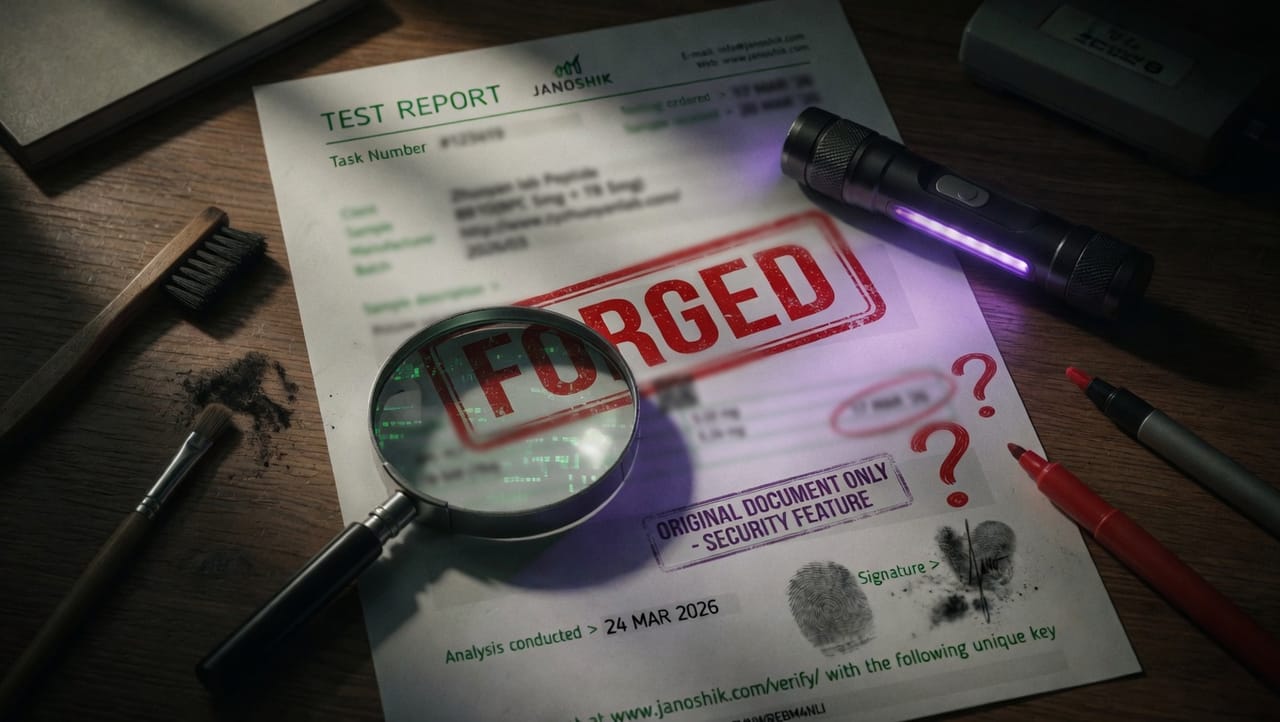
Janoshik Analytical is an EU-based independent peptide analytical lab and one of the most-referenced third-party testing services in research peptide sourcing. Unlike most labs, Janoshik issues its test reports as web pages rather than PDFs — each report lives at a unique URL on janoshik.com and can be verified directly through the lab's own verification page. Every authentic Janoshik report carries a unique verification key printed at the bottom, alongside a QR code that links to the same verify page. This makes Janoshik reports unusually easy to verify — and unusually obvious when forged.
Verification Workflow
Step 1 — Locate the unique verification key.
At the bottom of every authentic Janoshik report you will see the line "Verify this test at www.janoshik.com/verify/ with the following unique key" followed by a 10–12 character alphanumeric string (e.g. 8VNWREBM4NLI). This key — not the Task Number in the header — is the credential the lab's verification system actually checks.
Step 2 — Open the lab's verify page. Go to janoshik.com/verify/ and paste the unique key into the verification form. The lab's system will return the matching test report directly from its records.
Step 3 — Compare the returned report against the document you were given. Every value on the report you received from the supplier — Task Number, client name, sample name, batch, analysis date, individual analyte results — must match what the verify page returns. Any discrepancy means the document was edited after the lab issued it.
Step 4 — Scan the QR code as a one-tap alternative.
Authentic Janoshik reports include a QR code near the Results section that encodes the verify URL with the key pre-filled. Scanning the QR code from your phone takes you straight to the verified record. A "Janoshik" report without a QR code, or with a QR code that doesn't resolve to janoshik.com, is suspect.
Step 5 — Inspect the chromatogram and headline values. Janoshik reports include the full HPLC chromatogram with retention times and integrated peak areas. The headline purity number must agree mathematically with the visible peak integration. A 99% headline figure above a chromatogram showing a 90% main peak is a forgery — recalculate the purity from the peak areas and confirm it matches the stated value.
Step 6 — Match the batch identifier on the report to the physical vial. The "Batch" or "Sample" identifier on the Janoshik report must match the batch / lot printed on the vial label. A genuine Janoshik report for one batch does not certify any other batch.
Janoshik-Specific Red Flags
- The unique key at the bottom does not resolve on
janoshik.com/verify/, or returns a record that doesn't match the document you were given. - The "Verify this test at..." line is missing entirely — authentic reports always include it.
- The QR code is missing, distorted, or scans to a URL that isn't on
janoshik.com. - The Task Number in the header is present but the unique verification key is absent — verification is by key, not by Task Number.
- The chromatogram peak areas don't add up to the stated purity.
- The report values differ between the document you were given and what the verify page returns.
- The "Client" / supplier listed on the report does not match the seller who provided it to you.
- The contact details in the header don't match
[email protected]/www.janoshik.com— forgers using cloned templates sometimes alter these.
Verifying a Freedom Diagnostics COA
Freedom Diagnostics is a US-based analytical service used by many research peptide suppliers for HPLC purity and mass spectrometry confirmation. Like Janoshik, Freedom Diagnostics provides an on-site COA lookup — you can paste the accession number printed on the report into the verification tool on their website and confirm whether the COA exists in their records. This is the single fastest way to expose a forged or fabricated Freedom Diagnostics document.
Verification Workflow
Step 1 — Locate the accession number on the COA. Every authentic Freedom Diagnostics report carries a unique accession number printed in the header. Note it exactly as printed.
Step 2 — Look the accession number up on the Freedom Diagnostics site. Open the lab's COA accession-number search and paste the number into the lookup form. A legitimate accession number returns a real record with matching values. A forged or fabricated accession number returns nothing — and that absence is definitive.
Step 3 — Compare the lookup result against the PDF. The record returned by the lookup (sample name, lot, purity, observed mass, date) must match the values printed on the PDF you were given. Any discrepancy between the on-site record and the PDF indicates the PDF was edited after the lab issued it.
Step 4 — If the on-site lookup is inconclusive, contact the lab directly. If the accession lookup returns ambiguous results, email Freedom Diagnostics with the accession number and ask for confirmation. Reputable analytical labs will confirm or deny — a denial is definitive evidence of forgery.
Step 5 — Request the original PDF if you received an image or screenshot. A trustworthy supplier provides the unmodified original PDF. Without the original file, the PDF metadata cannot be inspected and the document cannot be fully verified.
Step 6 — Check the PDF metadata. As with Janoshik COAs, inspect document properties for unexpected modification dates, non-lab producer fields, or author fields that don't match the issuing lab.
Step 7 — Match the lot number on the COA to the physical vial. The COA must reference the same lot number printed on the vial label. A genuine Freedom Diagnostics report for lot A does not certify lot B.
Freedom Diagnostics-Specific Red Flags
- The supplier refuses to provide the lab's contact information or claims it is "confidential."
- The lab does not respond to verification emails, or responds and disclaims the report.
- The COA references a lot number not present on the vial.
- Branding details (logo proportions, color values, font choices) differ from known authentic reports.
- The COA is dated suspiciously close to when you asked for it (suggesting it was generated on demand rather than at the time of testing).
Verifying an MZ Biolabs COA
MZ Biolabs is an Arizona-based mass spectrometry and analytical services lab and the third most commonly referenced third-party tester on research peptide COAs after Janoshik and Freedom Diagnostics. Reports typically pair HPLC purity with intact-mass MS confirmation and use a consistent branded format. Verification is by direct contact rather than a public database, so the workflow leans heavily on the lab's responsiveness.
Verification Workflow
Step 1 — Locate the report identifier and test date. Every MZ Biolabs report carries a unique identifier and an issue date. Note both exactly as printed.
Step 2 — Email the lab with the report identifier. Contact MZ Biolabs directly and ask the lab to confirm that the specific report number was issued, on the date shown, with the values shown. A legitimate report will be confirmed; a forged or recycled COA will not.
Step 3 — Inspect both the HPLC and MS data on the PDF. Authentic MZ Biolabs reports include the full HPLC chromatogram with integration data and the mass spectrum. The chromatogram peak areas must add up to the headline purity number, and the observed MS mass must match the theoretical mass for the named peptide within 1 Da for compounds under 5 kDa.
Step 4 — Check PDF metadata. The author and producer fields should be consistent with a fresh export from the lab. Post-issuance editing leaves traces — a modification date later than the report date, or a producer field naming a consumer PDF editor, is a forgery signal.
Step 5 — Match the lot number on the COA to the physical vial. A genuine MZ Biolabs report for one lot does not certify any other lot, regardless of how authentic the document itself is.
MZ Biolabs-Specific Red Flags
- The supplier refuses to provide the lab's direct contact information.
- The lab does not respond to verification email, or responds and disclaims the report.
- The MS spectrum is missing — MZ Biolabs reports characteristically include intact-mass MS; HPLC-only documents claiming to be from MZ Biolabs warrant skepticism.
- The chromatogram and headline purity number disagree.
- Layout, fonts, or signature block differ subtly from known authentic reports.
Verifying a Kovera Labs COA
Kovera Labs is an independent analytical lab that produces detailed multi-section COAs combining HPLC purity, vial-by-vial conformity testing, heavy-metal screening, endotoxin testing, and microbial sterility — a more comprehensive analytical panel than most third-party reports in the research peptide market. Kovera reports have a distinctive structure that makes targeted forgery harder than with simpler single-page documents.
What a Real Kovera Report Looks Like
An authentic Kovera Labs COA carries several visual and structural features that are hard to fabricate convincingly:
- Report number in
KVR-YYYY-NNNNNNformat (e.g.KVR-2026-083563) — printed in the header and again near the signature block asReport#: KVR-YYYY-NNNNNN. - A Sample Information section listing Product, Form, Batch, Labeled Quantity, Molecular Formula, CAS Number, Cap Color, and Crimp Color. The cap and crimp colors are a small but distinctive detail authentic reports include.
- A Test Results section showing batch-average purity, net peptide content, identity confirmation (LC-MS), endotoxin screen, and microbial sterility screen — each line with both a reference standard and a result.
- A Heavy Metal Screening block for Lead, Cadmium, Arsenic, and Mercury (Negative / Pass results in authentic reports).
- A Batch Conformity Results table listing individual vial results (purity % and net content for each of four vials), then a Batch Average row. The vial-by-vial breakdown is unusual in third-party COAs and is one of Kovera's signature features.
- A Chromatogram image with method details (
RP-HPLC | Column: C18 | Detection: DAD @ 214 nmor similar). - Reports are exported by a proper PDF library — typically PDF 1.7 with the info dictionary left intentionally empty (no Title, Author, Producer, or Creator fields). This is normal for Kovera and is part of how their reports are recognized.
Verification Workflow
Step 1 — Locate the report number.
Note the KVR-YYYY-NNNNNN identifier exactly as printed. It appears both in the document header and again as Report#: near the signature.
Step 2 — Match the batch number on the COA to the physical vial.
Kovera reports use the label "Batch" (not "Lot"). The batch identifier on the COA (e.g. GLP-110-MH-02) must match the batch printed on the vial label. A genuine Kovera report for batch A does not certify batch B.
Step 3 — Contact the lab directly with the report number. Kovera Labs does not (at time of writing) publish a public lookup database. Verification is by direct contact: email the lab with the report number and ask for confirmation that the specific report exists in their records on the date shown with the values shown.
Step 4 — Confirm the multi-section structure is intact. A real Kovera report includes all of: Sample Information, Test Results, Heavy Metal Screening, Batch Conformity Results, and Chromatogram. A document claiming to be from Kovera that's missing one or more of these sections is suspect — forgers commonly clone the top of a real report and skip the harder-to-fabricate sections below.
Step 5 — Check the chromatogram math. The headline batch-average purity must agree with the integrated peak areas in the chromatogram. As with any third-party COA, an inflated headline number above an unedited chromatogram is the most common forgery pattern.
Step 6 — Inspect the PDF metadata for anomalies. Authentic Kovera reports ship with an empty info dictionary — no Producer, no Creator, no Title, no Author. A "Kovera Labs" report whose Producer field names an image editor, an online PDF tool, or Adobe Acrobat Pro is strongly suspect because the lab's authentic output has none of these. Cross-check with the COA Metadata Inspector for any unexpected metadata.
Step 7 — Sanity-check the vial-by-vial table. The Batch Conformity Results table lists individual vial purities and net contents. The Batch Average row should be the actual arithmetic mean of those vials (within rounding). Forgers who edit the batch average but leave the vial rows untouched produce a mismatch that's easy to spot with a calculator.
Kovera-Specific Red Flags
- The report number doesn't match the
KVR-YYYY-NNNNNNformat, or is missing entirely. - The Sample Information section is missing fields that authentic reports always include (Cap Color, Crimp Color, CAS Number, Molecular Formula).
- The Batch Conformity Results table is absent or shows only a single value instead of vial-by-vial data.
- The Batch Average row doesn't match the arithmetic mean of the listed vials.
- The PDF info dictionary has a populated Producer field — particularly Adobe Photoshop, online PDF editors, or office software. Authentic Kovera reports leave these fields empty.
- The chromatogram is missing, low-resolution, or doesn't include method details.
- Heavy metal screen results are anything other than the lab's standard format (Negative / Pass per analyte).
Other Third-Party Labs You May Encounter
Beyond Janoshik, Freedom Diagnostics, MZ Biolabs, and Kovera Labs, you will occasionally see COAs from smaller analytical labs and large global CROs. The verification pattern is identical in every case — locate the report identifier, confirm against the lab's records by direct contact, inspect the PDF for integrity, and match the lot or batch on the COA to the vial label.
Labs that appear from time to time include Auctus Metrology Labs (US, HPLC and identity testing), various regional analytical labs (Colorado Analytical and similar US-based operations), and the large global CROs — Eurofins, SGS Life Sciences, Intertek — which typically appear on wholesale or pharmaceutical-grade material rather than standard research peptides. Large CROs route verification through formal customer-service or quality-assurance channels and have longer response times than the smaller specialty labs.
Two additional document classes are worth flagging:
- Manufacturer "internal QC" COAs — produced by the peptide synthesis facility itself rather than an independent lab. These are not inherently fraudulent, but the synthesis house has a conflict of interest in certifying its own output. For sensitive research, pair an internal QC document with an independent third-party retest.
- COAs from labs with no web presence — a lab name that returns no website, no published address, no contact information, and no independent search results is the strongest single forgery signal. Treat the document as carrying no analytical certification at all.
General Red Flags Across Any Lab
Regardless of the lab named on the COA, the following patterns warrant skepticism:
| Red Flag | Why It Matters |
|---|---|
| No chromatogram or mass spectrum included | The numerical results cannot be independently verified |
| Purity stated without integration data | The headline value may not reflect the underlying chromatogram |
| Generic COA template applied across many products | Suggests reuse rather than per-lot testing |
| No lot number, or a lot number that doesn't match the vial | Disconnects the COA from the physical material |
| Lab has no web presence or refuses verification | The issuer cannot be confirmed to exist |
| Document is a screenshot, JPEG, or low-resolution image | Original PDF metadata cannot be inspected |
| PDF metadata shows editing software or recent modification | The document has been altered after issuance |
| Supplier resists providing direct lab contact information | Direct verification is being obstructed |
| The named lab confirms the report does not exist in its records | Definitive forgery |
If a COA cannot be verified against the issuing lab's records, it is not a COA — it is a document that claims a test occurred.
When the Lab Provides No Public Database
Not every analytical lab publishes reports to a public-facing database. For those that don't, the verification workflow shifts from lookup to direct contact:
- Email the lab with the report identifier. Ask for confirmation that the report exists in their records and that the values match the PDF you received.
- Request a direct PDF send from the lab if possible. A report received directly from the lab, bypassing the supplier entirely, eliminates the possibility of post-issuance editing.
- Cross-reference against past verified reports from the same lab. Layout, fonts, and signature blocks should be consistent across a lab's output.
- Ask the supplier for the testing invoice or correspondence. A legitimate test produces a paper trail beyond the COA itself — lab invoices, shipping records to the lab, email correspondence.
If the lab does not respond within a reasonable window, or if the supplier cannot produce supporting correspondence, the COA should be treated as unverified.
Practical COA Verification Checklist
Run this checklist every time a new lot of material arrives:
- Report identifier is present and legible on the COA
- Report number cross-references against the issuing lab's records (search or direct contact)
- PDF metadata shows the lab as author/producer, no post-issuance editing
- Chromatogram peak areas mathematically agree with the headline purity
- Lot number on the COA matches the lot number on the vial
- Date on the COA is consistent with the material's age and lot
- Supplier readily provides the original PDF (not a screenshot)
- Supplier readily provides lab contact information
- Lab confirms the report when contacted (if verification by email)
- No mismatched fonts, colors, or alignment within the document
A COA that fails any one of these checks does not necessarily indicate fraud — but it does indicate the document cannot fully support the trust it is meant to carry. Treat any failure as a reason to request a re-verified or replacement COA before using the material in research.
What to Do If You Suspect a Forged COA
- Do not use the material for any experiment whose results depend on the certified properties. Purity, identity, and content are all suspect until reverified.
- Document the discrepancy. Save the original PDF, the supplier's communications, and any lab responses confirming or denying the report.
- Contact the supplier. Request a verified replacement COA, and ask for an explanation of the discrepancy. A legitimate supplier with a clerical error will resolve it quickly. A supplier who deflects, delays, or refuses is the supply chain this article describes.
- Contact the named lab directly. Inform them that a document carrying their letterhead may have been forged. Reputable third-party labs take this seriously — fraudulent documents under their name damage their reputation as much as they harm buyers.
- Consider independent retest. If the material is valuable or the research is sensitive, ship a sample to an independent lab for confirmatory HPLC and MS analysis. The cost is small relative to the cost of publishing research based on a misidentified or impure compound.
- Share findings with the research community where appropriate. Forum reports, supplier reviews, and direct warnings to colleagues help close the information asymmetry that forgers depend on.
Sourcing Verified Material at Research Peptide Hub
Every research peptide we ship is paired with a lot-specific COA from a third-party analytical lab — most commonly Janoshik Analytical, with selected products tested through Freedom Diagnostics or comparable accredited services. Each COA we publish:
- Carries a verifiable report identifier that can be cross-referenced against the issuing lab's records
- Includes the full HPLC chromatogram and mass spectrum, not just headline values
- References the specific lot number printed on the vial — no recycled or unrelated reports
- Is published as the original PDF, with intact metadata
- Is replaced when a new lot is produced, not carried forward across batches
If a COA we publish cannot be verified against the issuing lab's records, we replace it. We do not ship material against a COA we cannot stand behind.
Summary
A Certificate of Analysis is only as trustworthy as the verification chain it sits on. The PDF itself proves nothing — it is the relationship between the PDF, the issuing lab's records, and the physical material in front of you that constitutes actual evidence. Forgers exploit the gap that opens when buyers stop at the document and never close the loop with the lab.
Verification is not exotic. Confirming a report against a lab's public database takes minutes. Emailing a lab to confirm a report identifier takes one message. Comparing chromatogram peak areas against a headline purity number takes a calculator. These small habits compound — a supplier who knows their COAs will be verified is a supplier who has every incentive to publish only what can be verified.
Disclaimer: This article is provided for educational and informational purposes only. All products referenced are intended strictly for laboratory and research use.